Hand-Drawn Clipping Path Using the Pen Tool
Apparel Clipping Path Services, Hand-Drawn Multi-Path Precision
Our clipping path service turns raw apparel shots into razor-clean cutouts with hard, editable edges. Every hand-drawn clipping path is traced in-house with the Pen Tool, then checked by a second editor. Send up to five images free and judge the edges yourself, or browse our full apparel photo editing lineup first.
No credit card needed · 5 free test images
- [0%] AI or auto-selection
- [100%] Manual Pen Tool paths
- [24/7] Production support
Selected Apparel Client Work
asos
reiss
note boom 4 woman
shoeby
topshop
Pen-Tool Precision
Every outline is traced by hand with the Pen Tool in Adobe Photoshop. No auto-select guesswork. No jagged edges or plastic halo around the collar.
Any Background After
One saved path travels with the file. Drop the same garment onto white, transparent, or a styled scene later, without cutting it out again.
Multi-Path Ready
A multi clipping path file keeps collar, trim, and panels on separate paths. Your team can recolor one zone without re-tracing the whole garment.
Scales Clean
A vector path stays sharp at any size. The same file serves a 300-pixel thumbnail and a full-page printed catalog with no pixelation.
What a Clipping Path Service Is and Why Apparel Sellers Use It
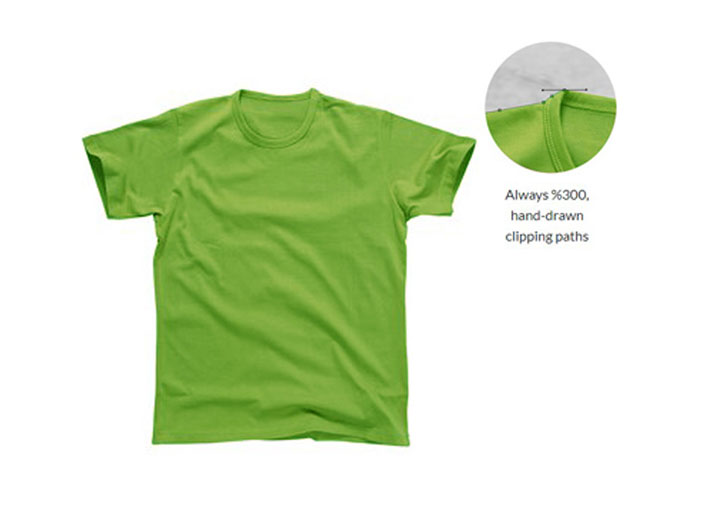
A clipping path service draws a closed vector outline around your garment with the Pen Tool. The path tells the software which pixels to keep and which to hide. Nothing gets erased, so the outline stays editable in the file’s Paths panel. Because the path is vector, it scales without blurring and holds a hard, clean edge along collars, cuffs, and seams. You end up with catalog-ready cutouts you can reuse at any size. If you mainly want clean apparel cutouts on white or transparent, start on that page instead.
Closed vector path, drawn by hand
Keeps hard, clean edges
Editable path, non-destructive
Scales without pixelation
Ideal for structured garments

Who Needs a Clipping Path Service?
Ecommerce & Apparel
A clipping path service for online retailers keeps every product shot on one edge standard, so your catalog still looks consistent as new drops go live.
- Crisp catalog edges
- Controlled hand precision
- Consistent across listings
Marketplace Sellers
Sellers running hundreds of listings need cutouts that clear compliance the first time and match each other across the whole storefront, from thumbnail to zoom.
- Consistent large listings
- Zoom-compliant edges
- First-upload clean cutouts
Product Photographers
Shoot the collection and hand us the post work. You keep the client relationship and the billing, and skip the late nights spent tracing collars, cuffs, and plackets by hand.
- Post-shoot path outsourcing
- Pixel-accurate edges
- Volume relief
Advertising and Marketing
Composite-ready garments with edges that survive full-bleed layouts at any crop or scale. Unbranded files, delivered under your name as your own work.
- Composite-ready cutouts
- White-label delivery
- NDA on every project
Print and Catalog
Prepress teams get saved paths InDesign reads directly, so text wraps cleanly around the garment and holds at press resolution on line sheets and lookbooks.
- InDesign-ready paths
- Multi-path for layouts
- High-DPI safe
Raw shots in.
Clean, hard-edged cutouts out, ready to list.
Our Clipping Path Services
Below is the full range of our image clipping services for apparel. Every path is drawn in-house and reviewed by a second editor before it leaves us. You can combine any of these in one order. For soft-edge work like lace and mesh, a hard path can’t hold the detail, so we handle those files differently.
Single (Simple) Clipping Path
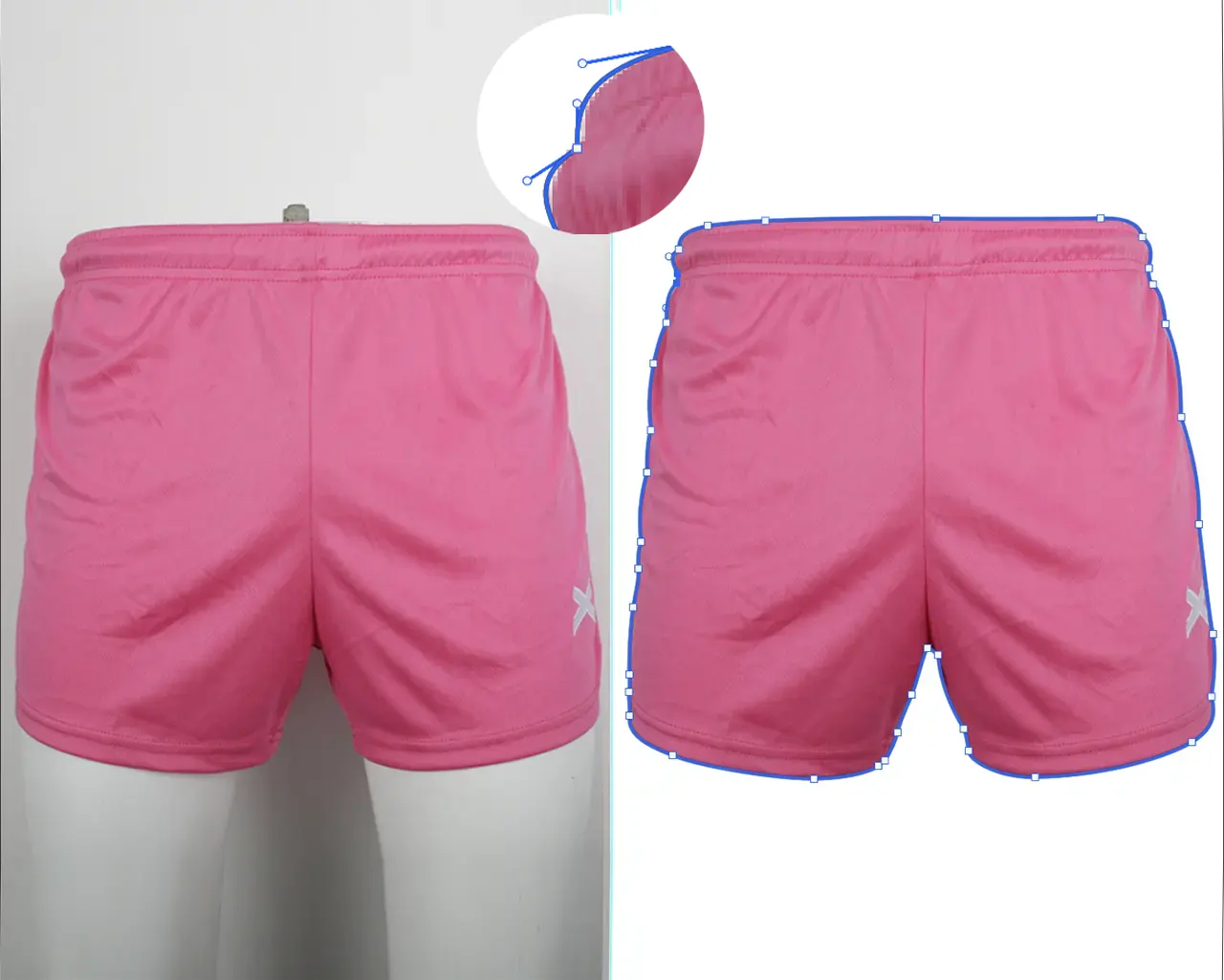
Even a plain tee gets chewed, plastic-looking edges from auto-cutout tools. One anchor lands in the wrong place and the shoulder line goes wobbly. A simple clipping path fixes that.
An editor draws a single clipping path around a solid-shape garment, so the curve stays smooth and true to the sewn line. This is the fastest tier and the right call when the shape is straightforward.
One clean outline
Basic tops, folded items
Single-shape garments
Fast turnaround
Compound and Multi-Path Clipping
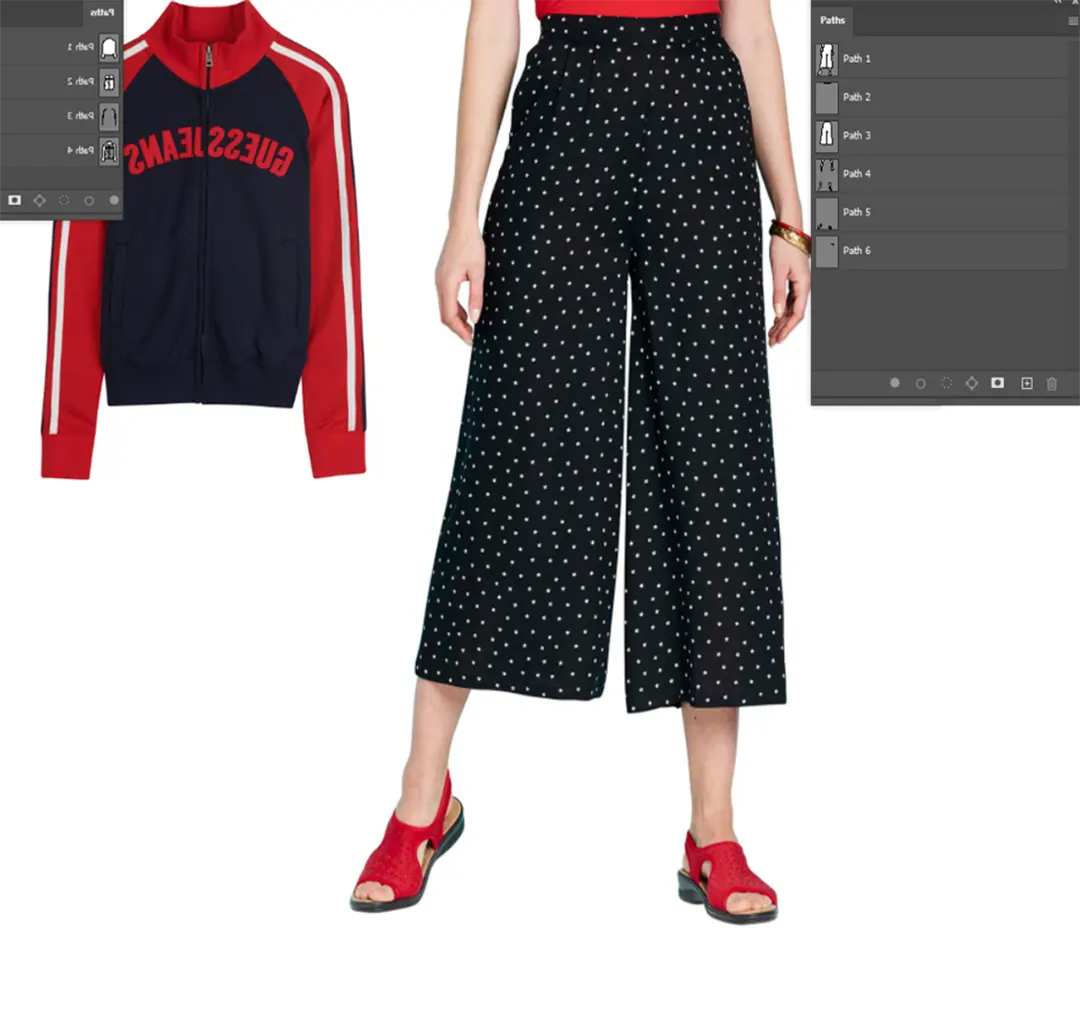
Some garments are not one shape. A jacket has a collar, a zipper, contrast panels, and an open gap between arm and body. One outline cannot serve all of them. A compound clipping path solves it. We deliver several labeled closed paths inside one image, each usable on its own.
See-through gaps stay see-through after the cutout. Buckle openings and handle holes read correctly. A multi clipping path service also means your team can recolor a single trim or panel without re-tracing the garment.
Separate paths per part
Isolate collar, trims, panels
Per-part color edits
Keeps arm-body and handle gaps correct
Complex and Super-Complex Clipping Path
Straps, buckles, eyelets, drawcords, layered outerwear. This is exactly where automated selection collapses and leaves a soft, stair-stepped edge. A complex clipping path follows every turn with a high anchor density, placed by hand where the garment actually changes direction.
The result survives zoom and prints clean. Hair-fine, sheer, or fly-away detail is a different problem. That needs detail a hard path can’t hold, handled with masking instead.
Many-anchor precision
Straps, buckles, layered pieces
Multi-part accessories
Print-grade edges
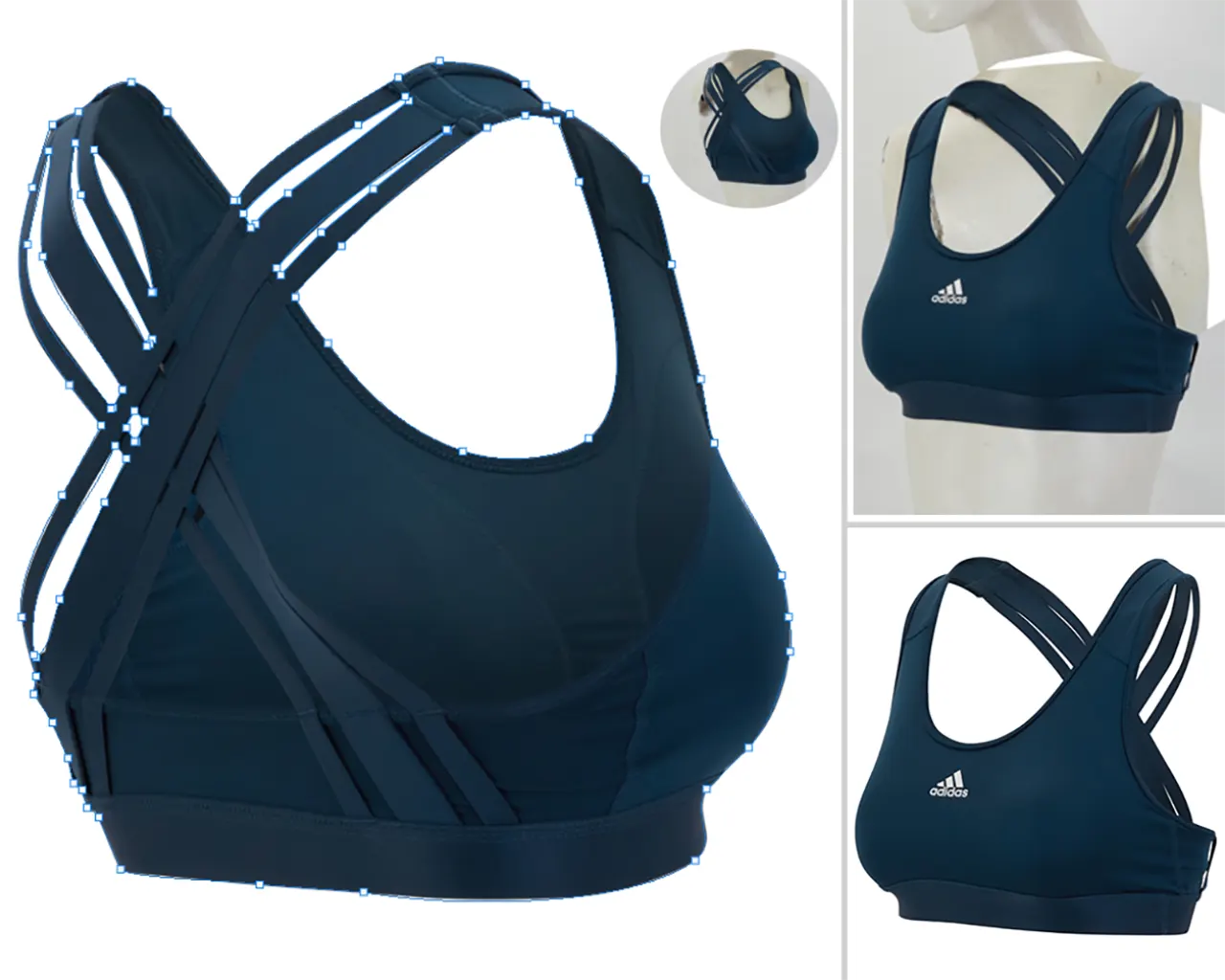
Clipping Path Plus Background Knockout
Sometimes you want the path drawn and the garment lifted off its backdrop in one finished file. We draw the path first, then knock the background out behind it. UK and Australian studios often call this a deep etching service, and our deep etch work follows the same hand-drawn standard.
You get a transparent PNG or a clean-edged flat. For white, transparent, and custom backdrop choices, see our white-and-transparent apparel cutouts.
Path drawn first
Background knocked out
Transparent PNG or clean edge
Combinable with color or retouch
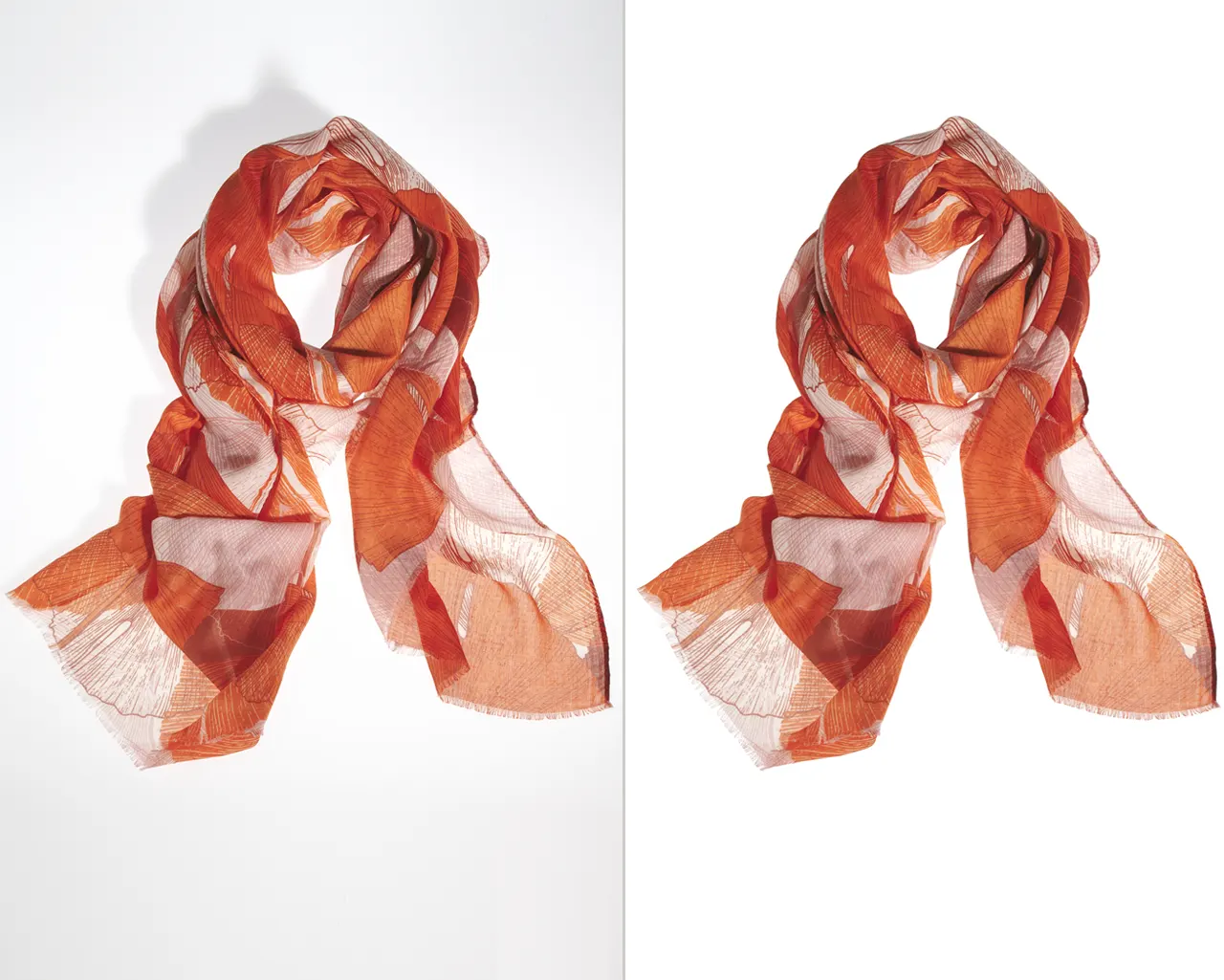
Paths for Color and Retouch Prep
Downstream work only stays clean if the areas are isolated properly first. Recolor a sleeve with a sloppy selection and the color bleeds onto the seam.
Our clipping path editing hands your team ready-to-use zones: named paths, non-destructive, original pixels untouched. Convert a path to a selection and the edge is already correct. We prepare the file here. The color work itself belongs to a different service.
Isolates areas for editing
Clean hand-off
Non-destructive selections
Recolor-ready zones
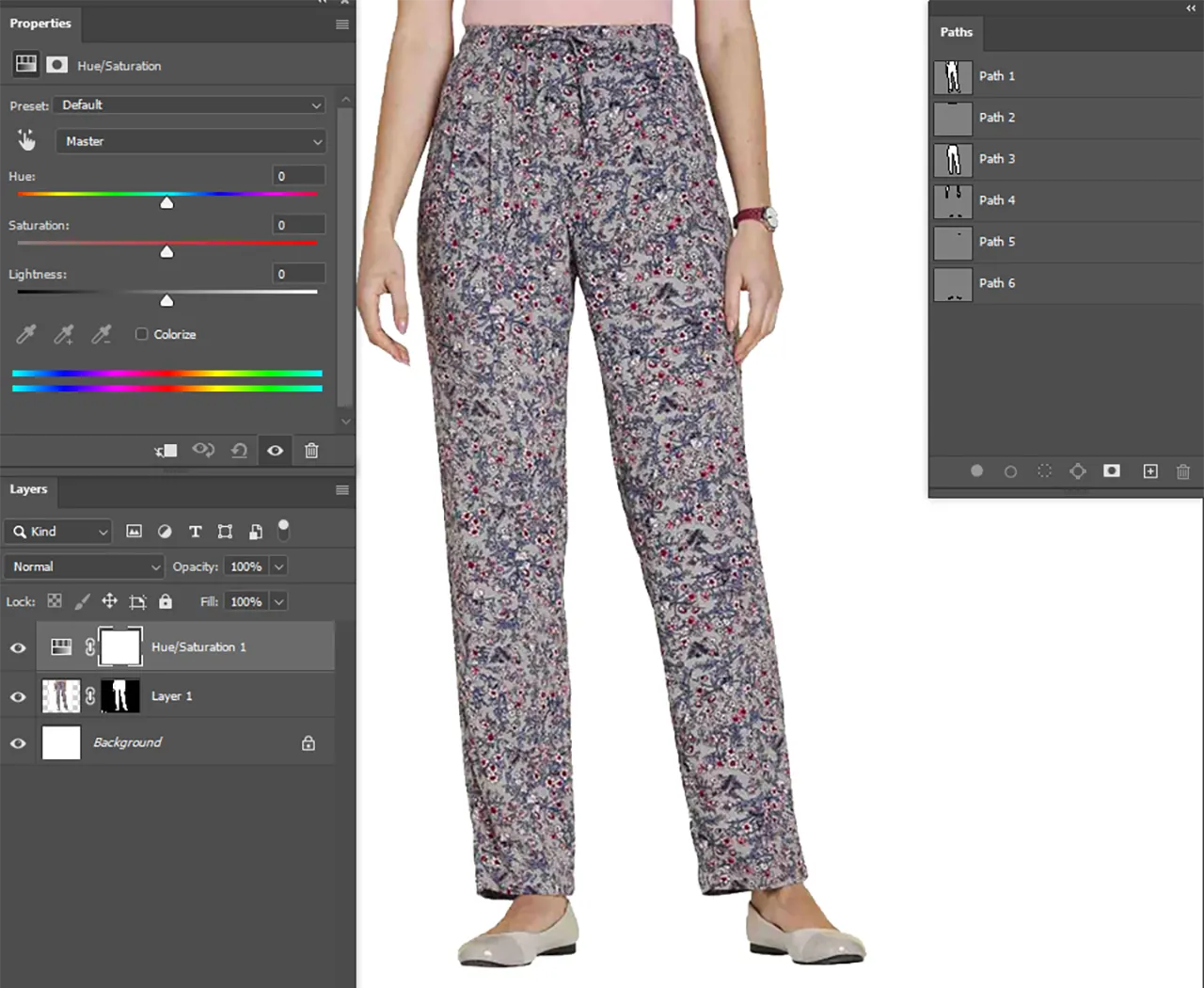
Paths for Bulk and Catalog Sets
Hundreds of SKUs have to read as one catalog. When one editor cuts tight and the next cuts loose, the grid looks broken even if each image is fine alone.
Our bulk clipping path service applies one edge standard across the whole batch, so every cutout matches image to image. Workflow, deadlines, and volume rates for large sets live with our high-volume batch editing.
Consistent edge standard
Batch-matched cutouts
SKU-wide uniformity
Predictable delivery
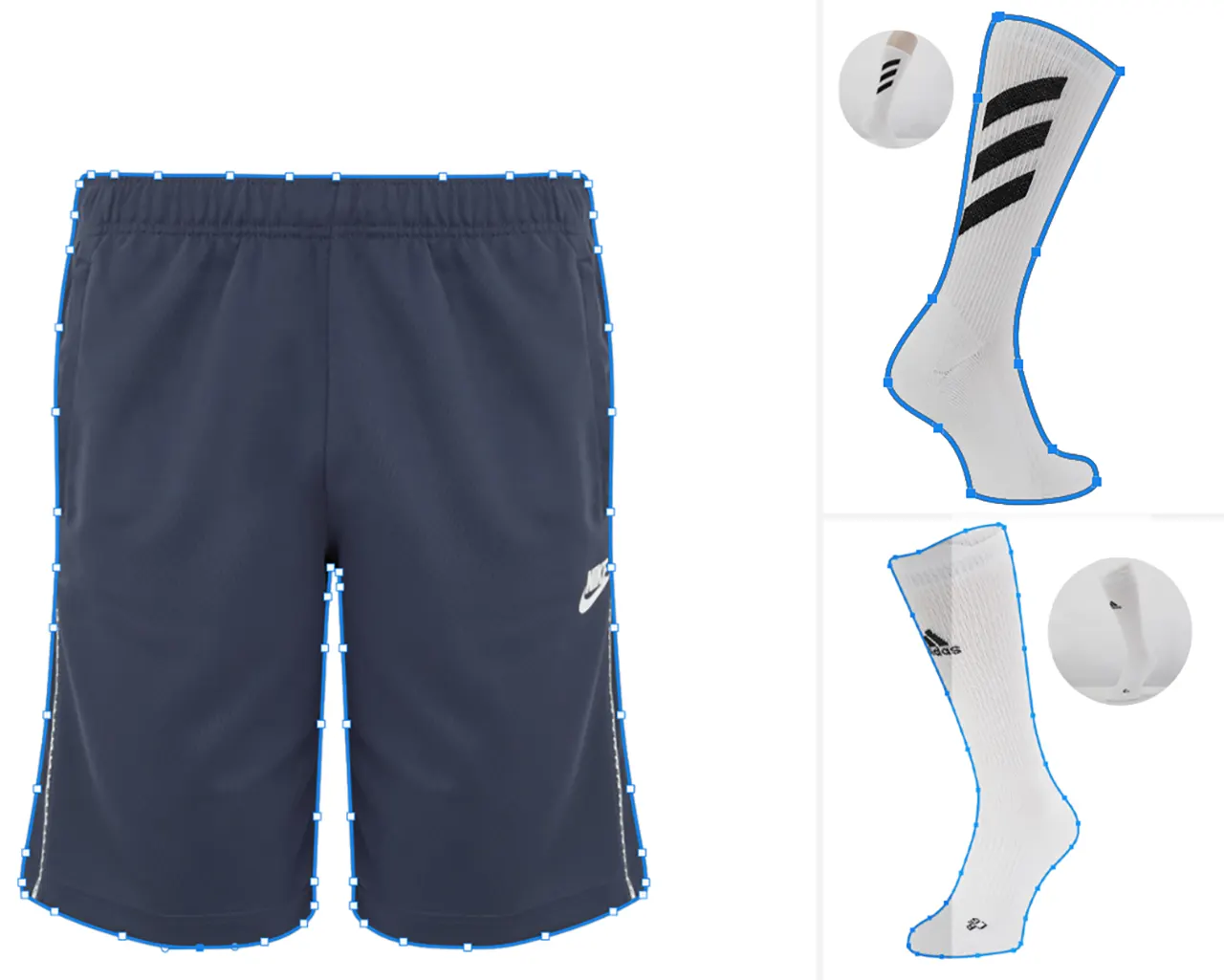
Clipping Path for Print and Layout (InDesign)
Transparent PNGs misbehave in layout software and can go jagged at high DPI. A saved vector path does not. An indesign clipping path is read directly by the layout app, so text wraps cleanly around the garment silhouette and the image scales lossless for print.
A tiff clipping path works the same way for prepress hand-off. This is the right build for line sheets, lookbooks, and printed catalogs, where a clipping path for print media has to hold at press resolution.
Reads in InDesign
Clean text wrap
High-DPI safe
Saved in Paths panel
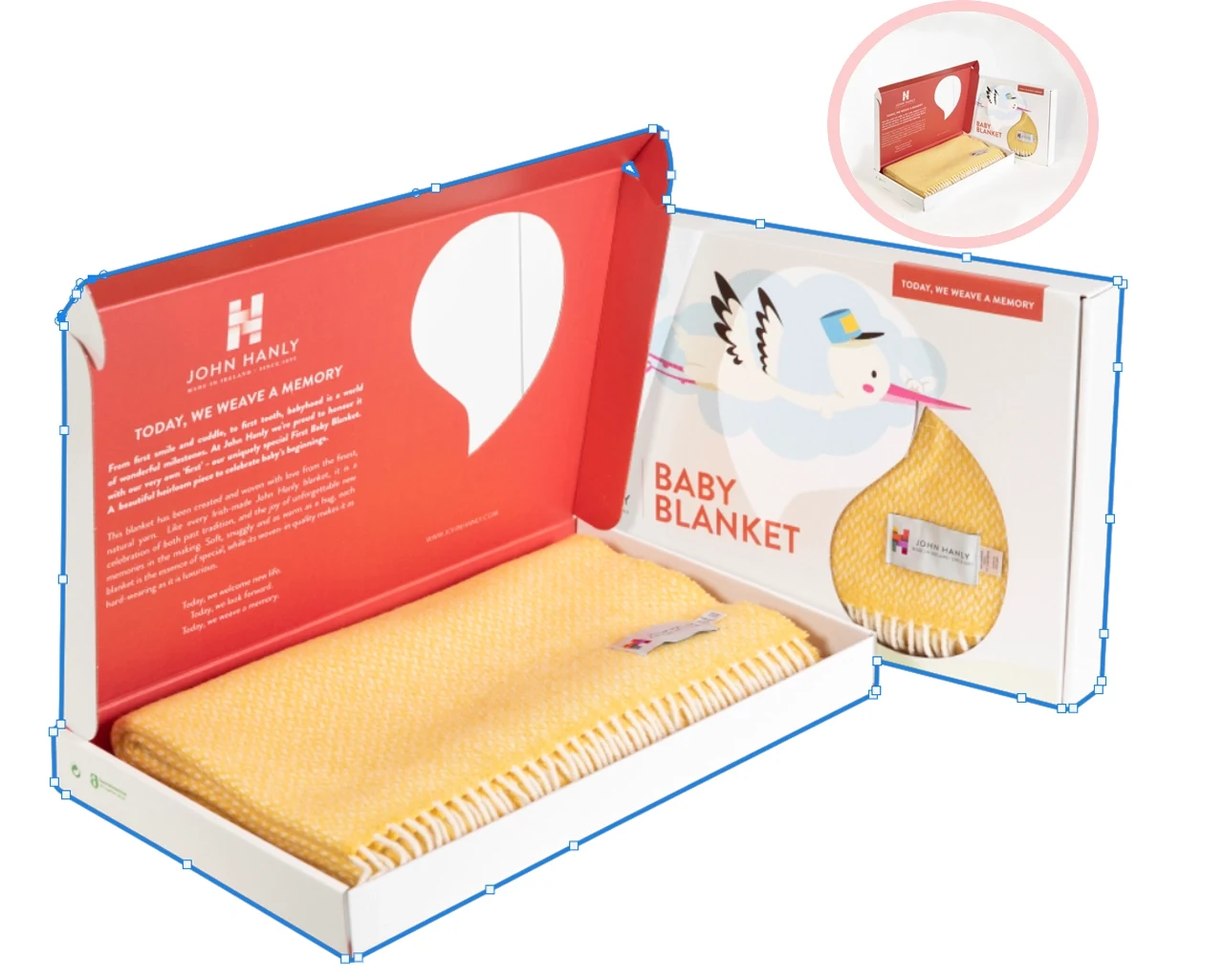
Judge the edges before you commit. Send five apparel images and see them cut.
Clipping Path vs Background Removal vs Masking
Buyers use these three terms as if they mean the same thing. They don’t. The clipping path vs background removal question is really method versus outcome. A path is the hard vector edge we draw. Background removal is the finished result of getting the garment off its backdrop. The difference between clipping path and masking comes down to edge type: a path holds hard lines, a mask holds soft and see-through ones.
| Method | What it is | Apparel example |
| Clipping path | A hard vector outline drawn by hand | A structured blazer with crisp lapels |
| Background removal | The outcome of lifting the garment off its backdrop | “Just put the shirt on plain white” |
| Image masking | A soft selection that keeps transparency | A lace panel or a fur-trimmed hood |
Rule of thumb: hard edges want a path, soft edges want a mask, and “get it on white” is an outcome. When one garment has both, we combine the two on the same file. For the finished cutout, see lifting the garment off its background. For sheer and fly-away detail, see masking for lace, mesh, and fur.
What Clean Paths Do for Your Catalog
Higher Buyer Confidence, More Add-to-Carts
Clean edges signal a well-made product before a shopper reads a single line of your description.
That first impression holds up when they zoom in on the stitching, so more shoppers move from browsing to buying.
A Catalog That Looks Like One Brand
When every cutout follows the same edge standard, your storefront grid reads as one deliberate brand. Mismatched crops and inconsistent edges do the opposite, making a serious apparel line read like a random marketplace flea stall.
Reuse Without Re-Cutting
One saved path drops the same garment into a web listing, a printed line sheet, and a paid social banner.
Nobody re-traces anything, so you pay for the path once and reuse it across every channel and every season.
Fewer Marketplace Rejections
Clean, compliant cutouts pass Amazon and marketplace listing checks on the first upload, with no back-and-forth. That matters most in launch week, when one rejected main image turns into a relist delay you never budgeted for.
Why Choose EIO for Clipping Path Work
Plenty of studios will cut your garments. Here is what you actually get when you pick us as your best clipping path service option.
100% Hand-Drawn, No AI
An ai clipping path tool guesses where the edge is. On hard lines that shows up as stair-stepping, halo, or softened corners. A person decides where every anchor lands.
Apparel-Only Specialist Editors
We edit clothing and nothing else. Forty-five of our editors are apparel specialists, so they read fabric, drape, and collar shape on sight. Generalists cutting cars and kitchens never build that instinct.
Three-Step Quality Check
Every file passes an editor production check, an independent senior apparel review, and a final output check. Eight senior QC reviewers run that second stage. Fewer redos land back on your desk.
Consistent Quality at Volume
The same edge standard applies whether you send 10 images or 1,000. Capacity reaches 3,000 mixed-complexity apparel images a working day, with on-time delivery running at 98.8%.
USA-Based, Free Trial, Secure
We work New York hours, so replies land inside your workday. Our clipping path specialist team signs an NDA before the trial starts, file access stays restricted to authorized production staff.
Apparel Specialists
3-Step Quality Check
NDA Protected
5 Free Test Images
One Soft Edge Drags the Whole Grid Down
A haloed cutout reads as cheap before a shopper reads a single word, and marketplace checks can bounce the listing back to you mid-launch. Send five apparel images and see where your current edges actually stand.
Clipping Path Pricing
Our clipping path pricing runs per image, based on how much work the shape takes. No hidden fees, and volume discounts apply automatically.
Basic
$0.49 – $0.99
Simple single path around a solid-shape garment. Basic tops, folded items, and flat lays.
Hand-drawn precision path
Basic internal cutouts
Editable Photoshop path
Clean outer garment edges
Natural garment shape preserved
Transparent PNG on request
Medium
$1.49 – $2.59
Compound and multi-path files with holes, gaps, and per-part selections. Jackets, sets, and trims.
Precision multi-path clipping
Internal holes
Sleeves, collars & straps
Consistent catalog-ready edges
Recolor-ready product sections
Lace, mesh & fine fabric details
Hardware, buttons & accessories
High-density anchor placement
Complex
$3.99 – $10.99
Layered garments, hardware, high anchor density, and print-grade edges. Quoted from a real sample.
Lace & intricate mesh
Sheer/transparent garments
Multiple garments in one image
Complex layered fashion
Large accessory sets
Product groups
Large catalog projects
Campaign/composite cutouts
Difficult hair + apparel combinations
Separate paths for garment sections
Volume discounts start at 5% for 100 to 499 images and reach 15% at 1,000 to 2,499, with custom rates up to 20% above 2,500. Your clipping path service cost always depends on the images themselves, so per image pricing is confirmed after we look at a real sample. Send a mixed set and we’ll quote the exact clipping path price per tier. Full ranges for every service sit on our apparel editing price list.
499+ REVIEWS • 4.9 AVERAGE
What Apparel Teams Say About Our Path Work
Our average client rating sits at 4.9 across 4,500+ clients in 30+ countries, and the longest working relationship runs eight years. Reviews below come from agency producers, prepress operators, studio managers, and ecommerce teams who use us as their clipping path service company for recurring catalog work. You can also see the cut edges yourself in our before and after gallery.
“We were relisting main images twice a week because of soft edges. Since we switched, 1,100 SKUs have gone up and not one has bounced back.”
⭐⭐⭐⭐⭐
“The paths open in InDesign and just work. Text wraps clean, nothing goes jagged at 300 DPI, and our spring line sheet shipped three days early”
⭐⭐⭐⭐⭐
“They send back 400 blazers and every collar reads the same. Our retouchers stopped fixing edges and went back to doing actual creative work.”
⭐⭐⭐⭐⭐
Merrow & Vale
Portland, OR • 940-SKU outerwear catalog • Client since 2021
Every Cutout Passed On Its Own. The Catalog Grid Told a Different Story.
Three vendors had cut the range across two seasons with no shared edge spec. Some jackets sat tight to the seam, others carried a soft halo, and 9% of main images bounced back at marketplace review. We wrote one edge standard, then re-pathed all 940 SKUs by hand.
“Our old cutouts came back as flat PNGs, so every reuse meant re-cutting. Now the path sits in the file and my team drops the same jacket anywhere.”
⭐⭐⭐⭐⭐
%
Add-to-cart on outerwear category
To re-path the full catalog
%
Main image rejection rate now
SKUs on one edge standard
Editable Paths in Every PSD
45 Apparel Specialists
Eastern Time Support
Bulk-Order Consistency
Files Deleted After 30 Days
— How it works
How Our Clipping Path Process Works
Always know where your files are — and who has them
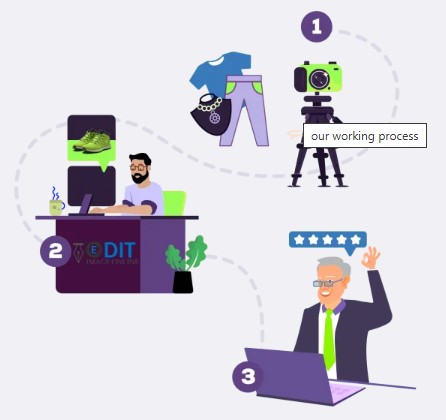
Step 1: Upload Your Images
Drag and drop your files, or send larger sets over FTP. Flag the path type you need, or let us assess it.
Step 2: We Hand-Draw Every Path
A real editor traces each contour with the Pen Tool. Anchors go where the garment actually turns, not where software assumes.
Step 3: QA, Secure Download, and Revisions
Three checks run before release. You download over a secure link, and production errors against the approved brief are corrected free.
Frequently Asked Questions About Clipping Path Service
What is a clipping path service?
A clipping path service is hand-drawn cutout work. An editor traces a closed vector outline around your garment with the Pen Tool in Photoshop. The path marks which pixels stay visible and which get hidden. It holds a hard, clean edge, stays editable inside the file, and scales to any size without going soft.
What’s the difference between a simple and a complex clipping path?
A simple path follows a solid shape with few curves and no internal holes. A complex path handles many curves, multiple see-through gaps, layered pieces, and hardware. Complex work needs far more anchor points and far more time per image, which is what moves it into a higher price tier.
Clipping path or background removal, which do I need?
A path is the method. Background removal is the outcome you’re after. If you want an editable hard outline saved in the file, order a path. If you just need the garment sitting on plain white or transparent with nothing else to think about, go to our finished apparel cutouts.
What image formats do you accept and deliver?
We accept JPEG, PNG, TIFF, PSD, WebP, HEIC, PDF, and raw files including DNG, CR2, NEF, and ARW. File formats that support clipping paths natively include TIFF, PSD, and EPS. Delivery comes as a saved path in the file, a transparent PNG, or a layered PSD with named paths.
How many revisions do I get?
You get two revision rounds within 14 days of delivery. If we made a production error against the approved brief, we fix it free and it does not count against those rounds. A change to the original brief counts as new scope, and we requote it before starting.
How fast is your turnaround?
Standard turnaround time is 24 to 48 hours. Priority runs 12 to 24 hours, rush runs 6 to 12 hours, and emergency delivery of 3 to 6 hours is available subject to capacity. Trial files come back within 24 hours. Tell us your deadline and we’ll confirm the tier before you order.
Do you offer white-label or outsourced path work for agencies?
Yes. Clipping path outsourcing is a core part of what we do for studios and agencies. Files come back unbranded and ready to present as your own, under NDA, matched to your written style guide. Details sit on our white-label editing for studios and agencies page.
How much does a clipping path cost?
Ours run from $0.49 to $10.99 per image, priced by complexity. A folded tee sits at the low end. A layered jacket with hardware sits near the top. Volume discounts start at 5% for 100 images and reach 20% on custom high-volume orders. Send a sample set for an exact quote.
Do you use AI or hand-draw the paths?
Every path is drawn by hand. Automated selection tools estimate the boundary from contrast, which works poorly on hard sewn lines. You get stair-stepped edges, halo along dark fabric, and corners that go round when they should stay sharp. Our clipping path experts place each anchor deliberately instead.
When should I use masking instead?
Hair, lace, mesh, sheer knits, and fur trims have edges a hard vector line cannot follow. Trying is what produces that cut-out-with-scissors look. A clipping path vs clipping mask decision comes down to transparency: masking preserves fine strands and see-through fabric. See masking for soft apparel edges.
Will the path be editable and saved in the file?
Yes. The path is stored as a photoshop work path in the file’s Paths panel. The original pixels are never erased, so the edit stays non-destructive. Reopen the file months later and you can nudge an anchor or tighten a curve without starting the cutout again.
Can you handle bulk or high-volume path work?
Yes. Bulk clipping path sets run on one edge standard, so every cutout matches across the whole SKU list. Capacity reaches 3,000 mixed-complexity apparel images per working day, with pre-booked peaks higher. Workflow and volume rates are covered under batch work across large SKU sets.
How do I start the free trial?
Send up to five representative apparel images through the free trial form. No credit card. We hand-draw the paths and return them within 24 hours, so you can judge the edges before paying. A free sample edit covers standard JPEG or PNG. Layered PSD is available by prior agreement.
Is my unreleased collection kept confidential?
An NDA is signed before the trial or production begins. Access is restricted to authorized production and QC staff. Active files are removed after 30 days, and temporary backups are held for up to 60 days. Early deletion is completed within 2 business days on request. You keep full ownership of every image.
See the Edges First. Pay Only If They Hold Up.
Send your first 5 apparel images and we’ll hand-draw the paths free. No credit card, no commitment. Grab a coffee and we’ll have the cut edges back to you shortly.